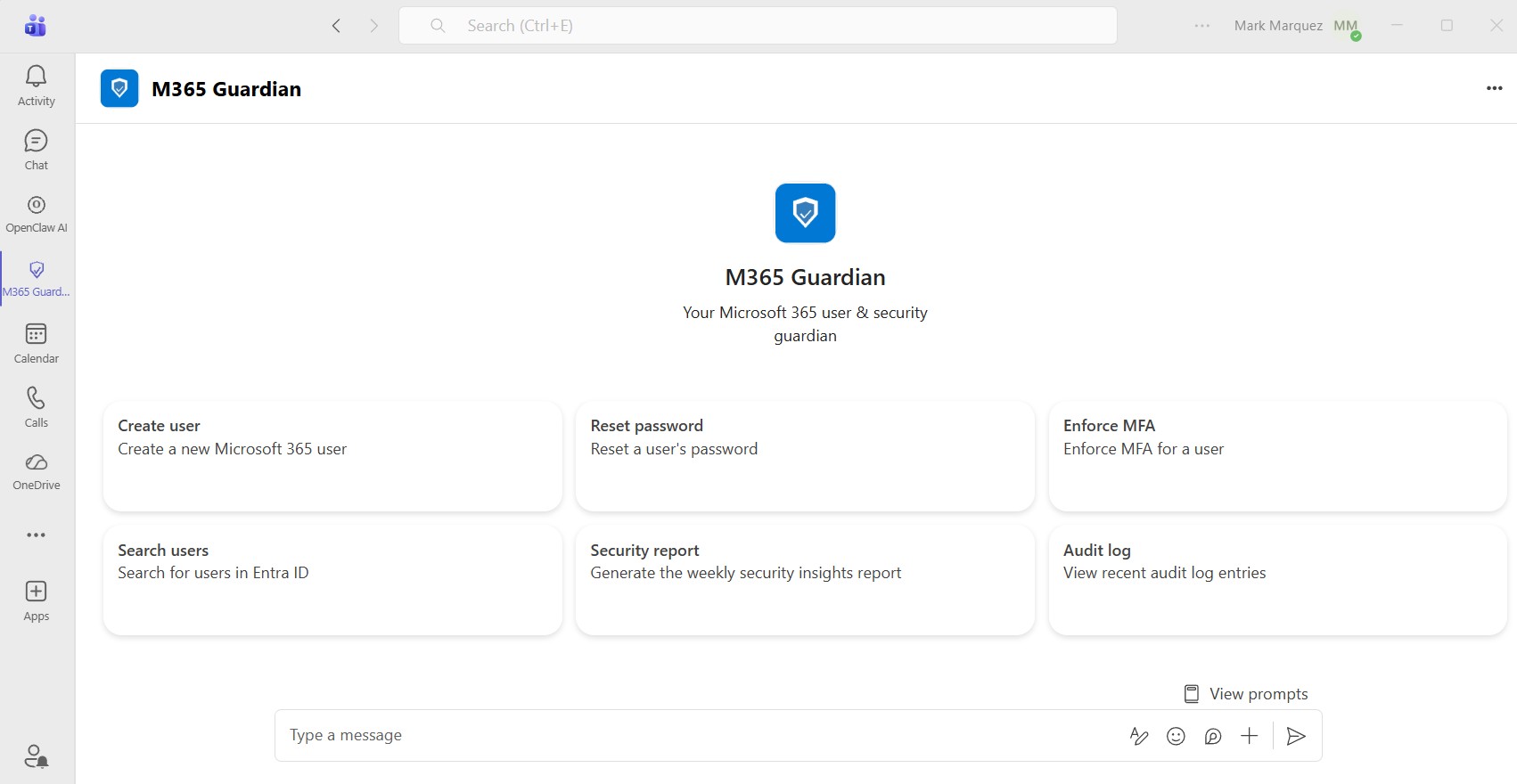
Running Microsoft 365 administration through the Entra ID portal or PowerShell works, but it's slow, error-prone, and requires specialized knowledge that not every IT technician has. I wanted a solution where a technician could type "Create a new user named Sarah Chen in Engineering with a Business Basic license" and have it just work — with full audit logging, mandatory confirmation before any changes, and automated weekly security reports delivered to Teams and email.
01 // The Challenge
Small and mid-sized businesses rarely have dedicated Microsoft 365 administrators. The technicians managing user accounts, password resets, MFA enforcement, and license assignments are often the same people handling helpdesk tickets, network issues, and everything else. They need to switch between the Entra ID portal, Exchange admin center, and PowerShell — each with its own interface, terminology, and quirks.
The goal was to build a single conversational interface that handles all common M365 user-management tasks while enforcing security best practices automatically. Every write action requires explicit human confirmation. Every action is logged for compliance. And a weekly security report runs all 10 checks without anyone having to remember to do it.
02 // Architecture Overview
Microsoft Teams  /  Web Chat
      ↓
Bot Framework  /  REST API
      ↓
LLM Orchestration  (LiteLLM)
Tool Calling  +  Structured Output
      ↓
Tool Executor
Routes tool calls → Graph API
Audit logging on every operation
      ↓
Microsoft Graph API
Entra ID · Exchange Online · Identity Protection
The LLM layer is provider-agnostic through LiteLLM — the deployment uses xAI's Grok, but swapping to Anthropic Claude, OpenAI, or Azure OpenAI requires only changing two environment variables with no code changes.
03 // Technology Stack
- Backend — Python 3.11 on Azure App Service (Linux, B1 tier).
- LLM Orchestration — LiteLLM with xAI Grok (
grok-4-1-fast-reasoning). - Microsoft Graph SDK — msgraph-sdk v1.x with Kiota-based RequestConfiguration objects.
- Bot Framework — botbuilder-core for Microsoft Teams integration.
- Web Framework — aiohttp for the async REST API and web chat.
- Audit Storage — Azure Cosmos DB (session history and action audit logs).
- Scheduled Reports — Azure Functions timer trigger (weekly Monday 8 AM UTC).
- Authentication — Entra ID app registration with least-privilege Graph API permissions (SingleTenant).
- Security — IP-restricted App Service with Azure Bot Service tag allowlist.
04 // Tool Inventory · 18 Functions
M365 Guardian exposes 18 tools to the LLM through function calling. Each tool maps to one or more Microsoft Graph API operations, and every call is logged to Cosmos DB with the requesting technician's identity.
Read operations — searching users, getting detailed user profiles (MFA status, sign-in activity, group memberships), listing available licenses, checking mailbox provisioning status, querying audit logs, and generating the weekly security report.
Write operations — all requiring explicit "Type YES to proceed" confirmation — include creating users, updating properties, deleting accounts, resetting passwords, enforcing MFA, assigning and removing licenses, managing group memberships, managing shared mailboxes and distribution groups, bulk operations on up to 50 users, and sending reports to Teams channels or email.
05 // The Confirmation Flow · Security by Design
The core safety mechanism is the mandatory confirmation loop. When a technician requests any write action, the bot presents a structured summary showing exactly what will change, lists security implications, and asks for explicit "YES" confirmation before executing. The confirmation is case-sensitive — typing "yes" or "Yes" is rejected.
┌─────────────────────────────────────────┐
│  M365 GUARDIAN — ACTION SUMMARY         │
├─────────────────────────────────────────┤
│  Action:    Create new user + mailbox   │
│  Target:    sarah.chen@contoso.com      │
│  Changes:                               │
│   • Display name: Sarah Chen            │
│   • Department: Engineering             │
│   • License: Microsoft 365 Business     │
│   • Temporary password: ********        │
│   • Force password change: Yes          │
│  Warnings:                              │
│   • Mailbox may take 15 min to          │
│     provision after license assignment  │
│  Audit ID:  a1b2c3d4-e5f6-7890-...      │
└─────────────────────────────────────────┘
⚠  Type YES to proceed, or anything else to cancel.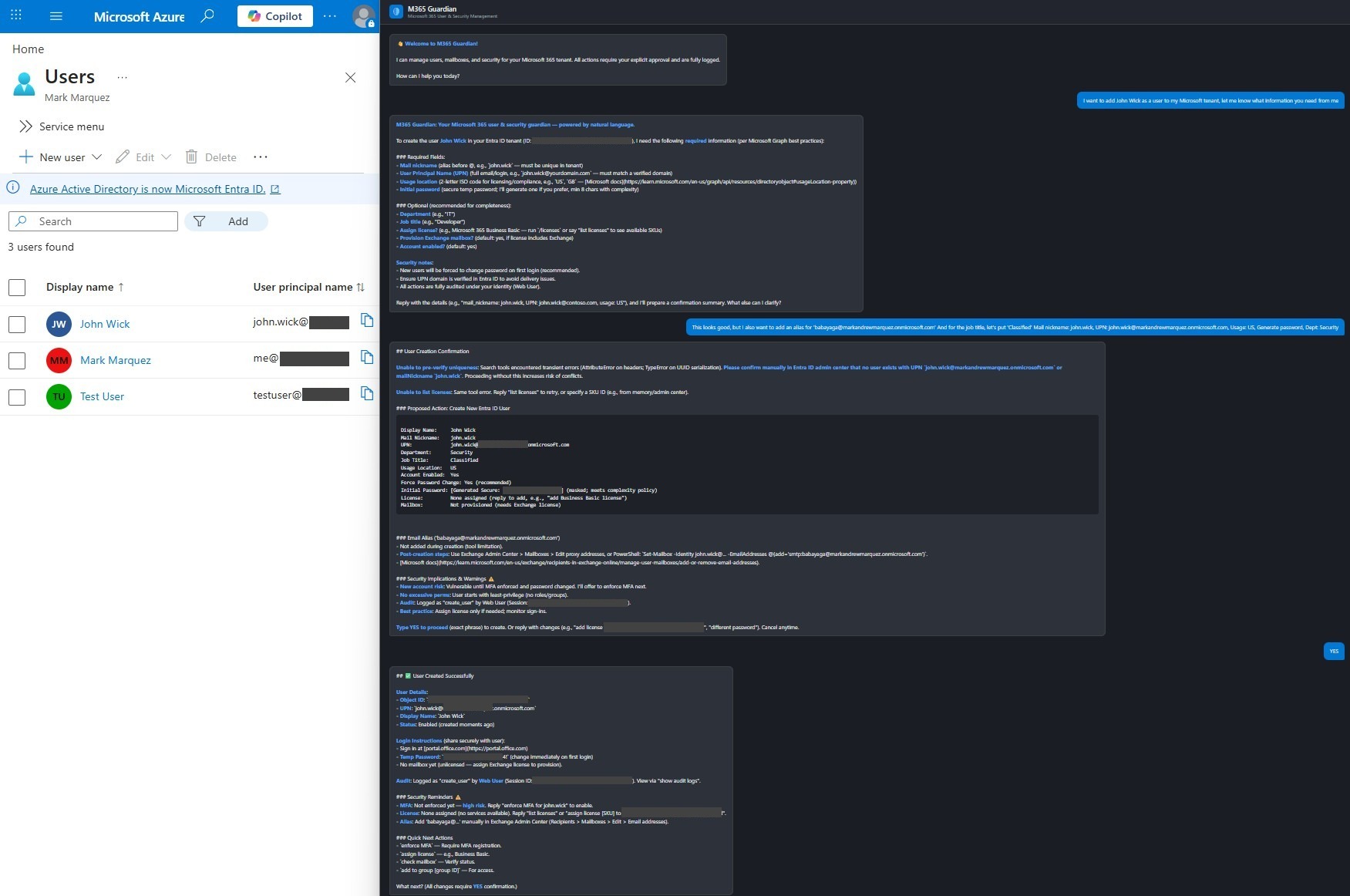
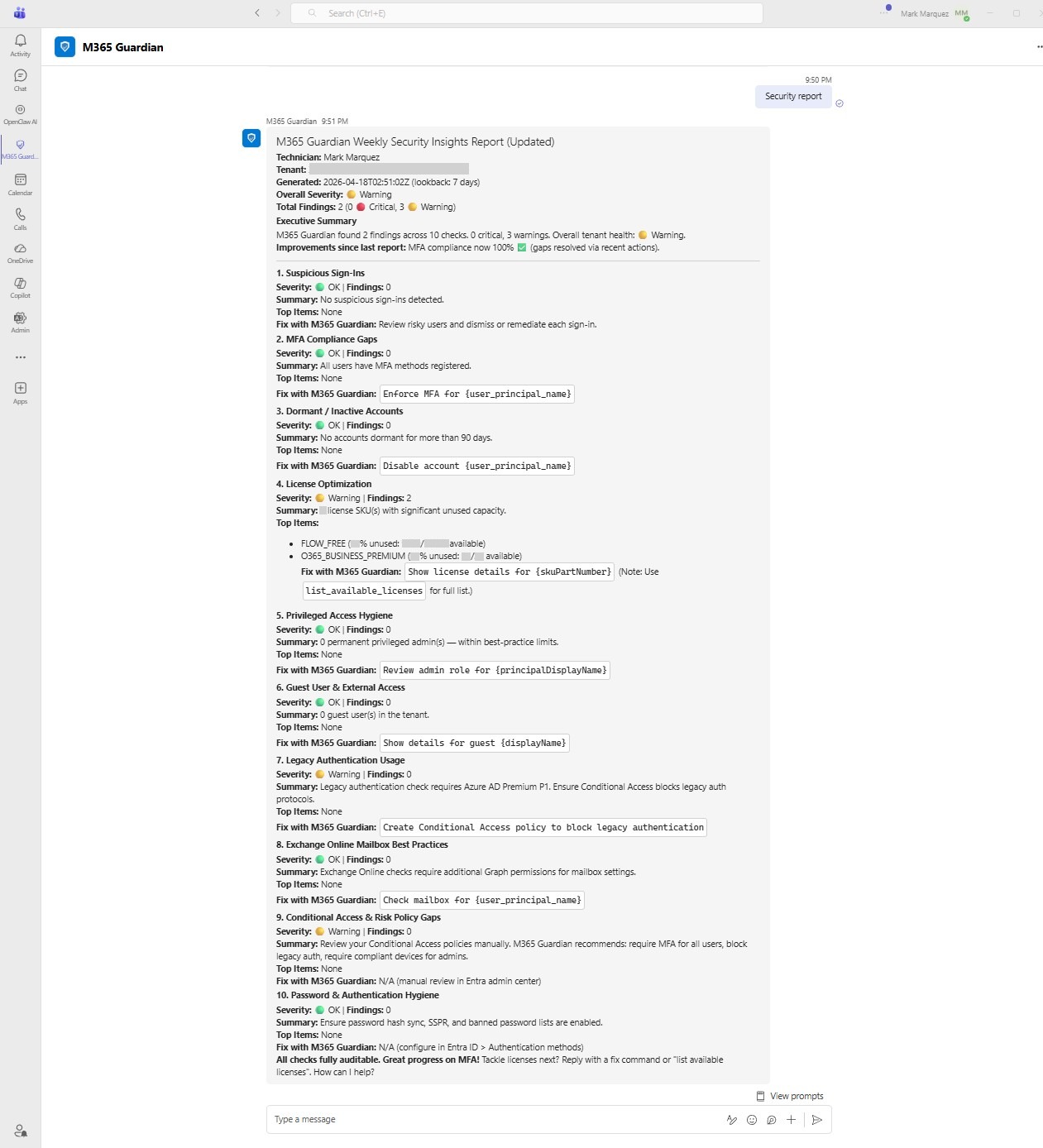
06 // Weekly Security Report · 10 Automated Checks
- 01 · Suspicious Sign-Ins — Identity Protection risky sign-ins (requires Azure AD P2).
- 02 · MFA Compliance Gaps — users without any registered MFA method.
- 03 · Dormant Accounts — no sign-in for 90+ days.
- 04 · License Optimization — SKUs with significant unused capacity.
- 05 · Privileged Access Hygiene — permanent Global Admin and privileged-role holders.
- 06 · Guest & External Access — stale or unnecessary guest accounts.
- 07 · Legacy Authentication — sign-ins using legacy protocols.
- 08 · Exchange Online Best Practices — auto-forwarding, delegations, storage quotas.
- 09 · Conditional Access Gaps — missing or disabled risk policies.
- 10 · Password & Auth Hygiene — SSPR status, banned password lists, weak methods.
Each check returns a severity (Critical, Warning, or OK), a finding count, the top 5 affected items, and a "Fix with M365 Guardian" action link that opens the chatbot with a pre-filled remediation command. The report is delivered as an Adaptive Card in Teams and an HTML email.
07 // Azure Deployment
- App Service (B1 Linux) — hosts the bot endpoint and web chat on Python 3.11.
- Cosmos DB —
sessionsfor conversation state,audit_logsfor action history (1-year TTL). - Azure Bot Service — SingleTenant registration bridging Teams to the App Service.
- Azure Function App — timer trigger for the weekly report (Monday 8 AM UTC CRON).
- Entra ID Role — the service principal requires the Helpdesk Administrator directory role for password-reset operations, in addition to Graph API application permissions.
The App Service uses Azure platform-level access restrictions, allowing only specific IPs and the Azure Bot Service tag, with all other traffic denied. Environment variables store all secrets — nothing is hardcoded. Deployment requires SCM_DO_BUILD_DURING_DEPLOYMENT=true so Azure's Oryx build system installs Python dependencies during deployment.
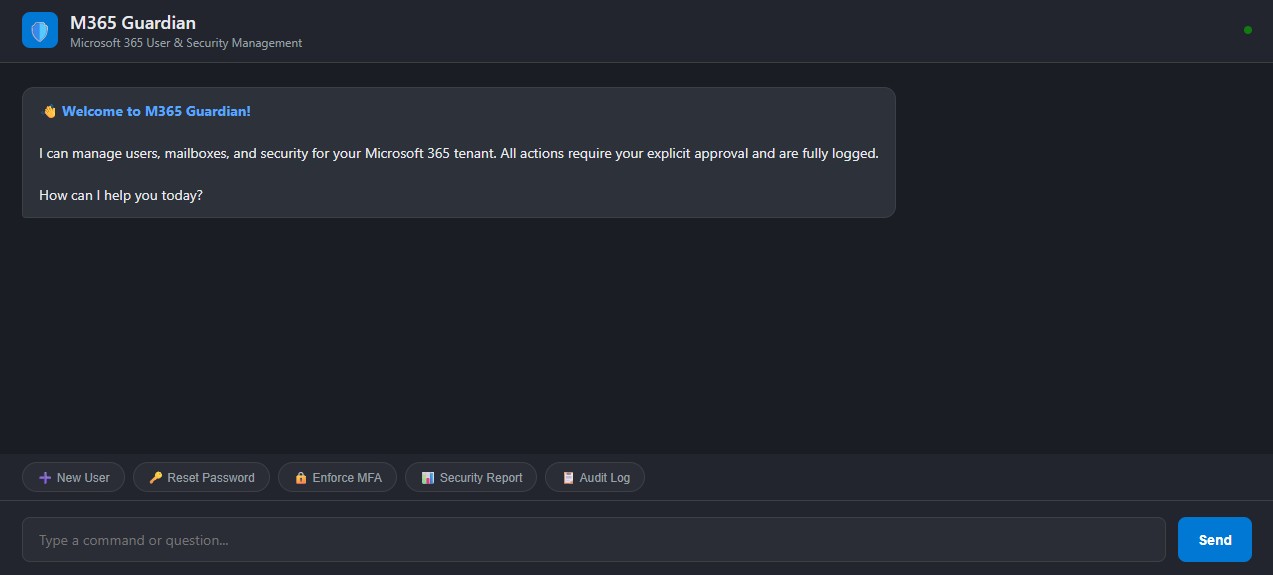
08 // Web Chat & Teams
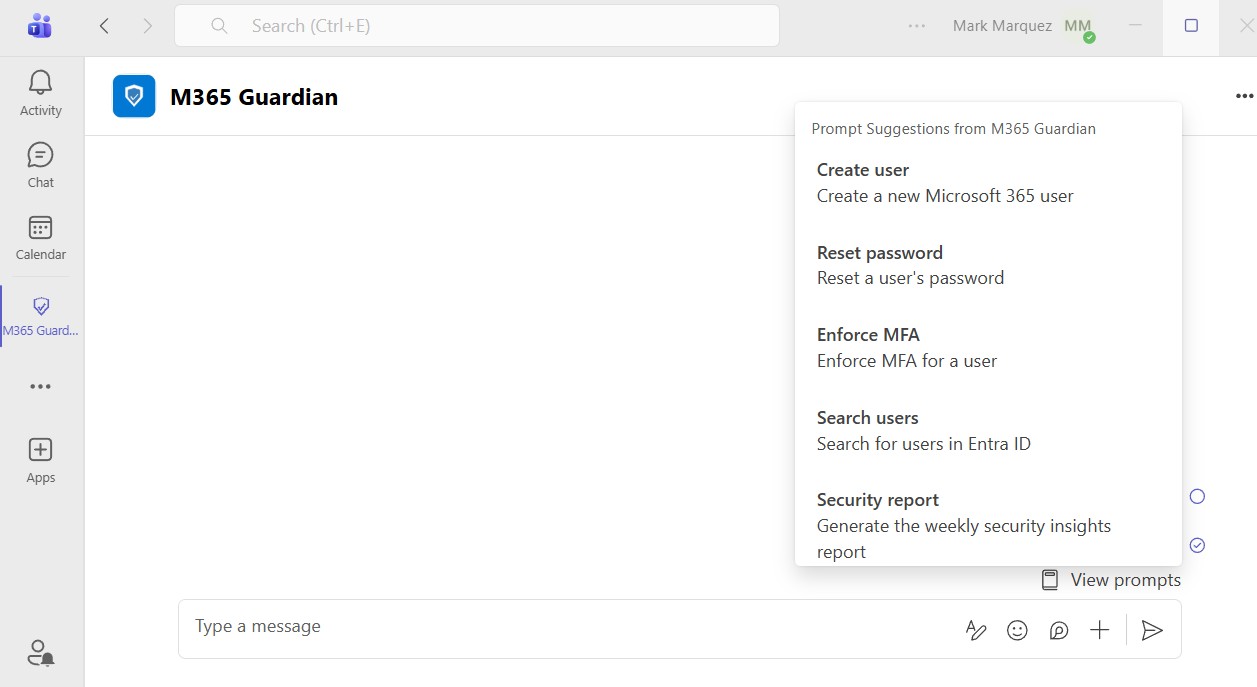
09 // LLM Provider Flexibility
PROVIDER                LLM_PROVIDER     REQUIRED ENV VAR
────────────────────    ─────────────    ──────────────────────
xAI / Grok  (current)   xai              XAI_API_KEY
Anthropic Claude        anthropic        ANTHROPIC_API_KEY
Azure OpenAI            azure_openai     AZURE_OPENAI_API_KEY
OpenAI                  openai           OPENAI_API_KEY
10 // Results
11 // Conclusion
M365 Guardian proves that an LLM-powered administration tool can be both powerful and safe. The PoC validated all three target scenarios — user creation with mailbox provisioning, password reset with MFA enforcement, and automated weekly security reporting — running against a live Microsoft 365 tenant with 20 test users. The combination of natural-language understanding, mandatory confirmation gates, and full audit logging creates a system that's faster than the admin portal, more accessible than PowerShell, and more auditable than either.
Source is open at github.com/marky224/m365-guardian.