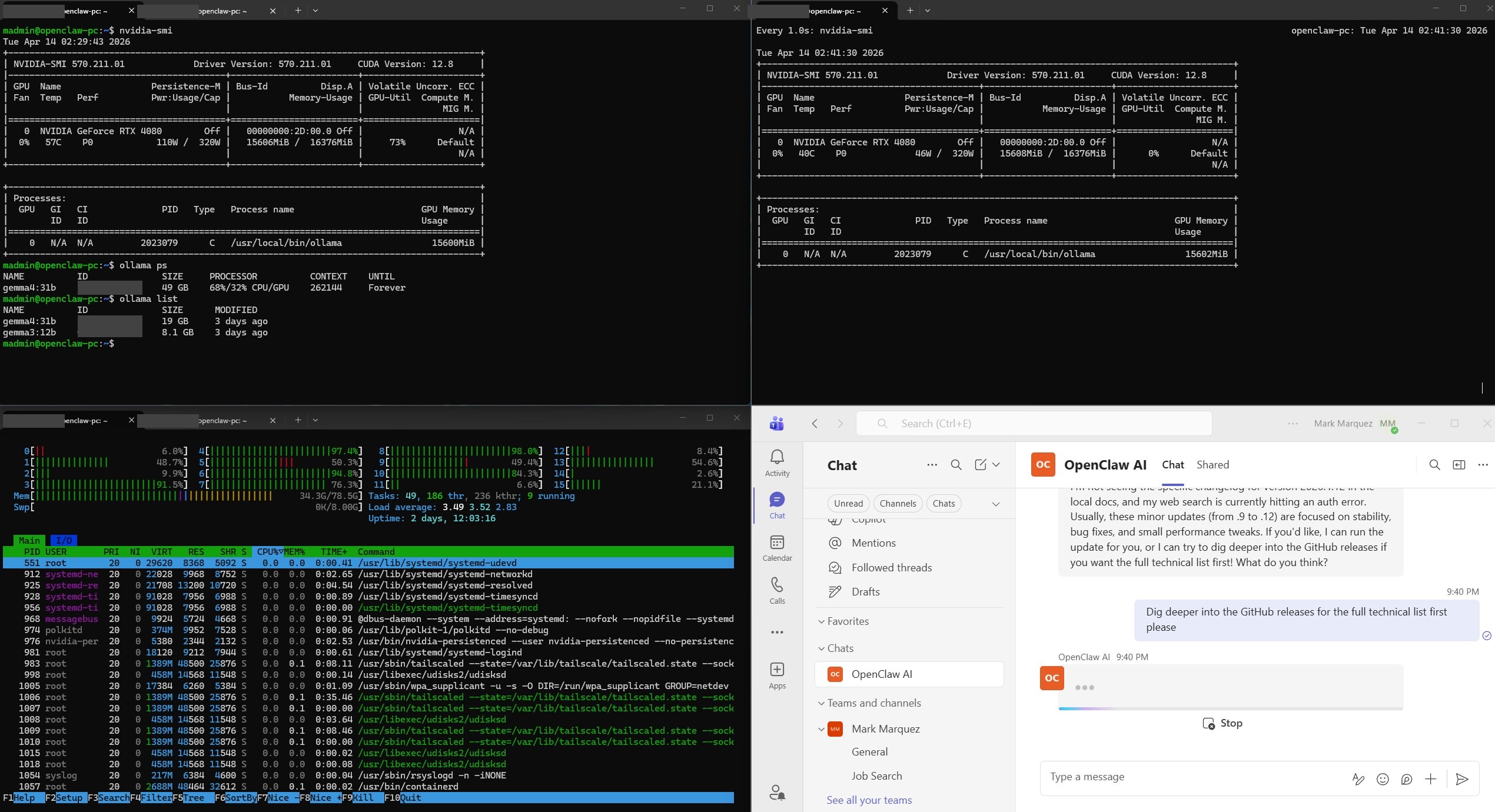
Running AI models in the cloud is convenient, but it comes with recurring API costs, data-privacy concerns, and dependency on third-party services. I wanted an AI assistant that runs entirely on my own hardware — zero cloud LLM costs, full data ownership, and accessible from anywhere through Microsoft Teams. This project documents how I repurposed a spare PC into a dedicated, headless AI assistant server running OpenClaw with Google's Gemma 4 31B model locally on an NVIDIA RTX 4080.
01 // The Challenge
Most AI assistants rely on cloud APIs (OpenAI, Anthropic, Google) which charge per token. For someone who wants to interact with an AI assistant throughout the workday — asking questions, automating tasks, processing information — those costs add up quickly. I wanted a solution that was completely self-contained: the LLM runs locally on my GPU, the agent framework runs on the same machine, and I can interact with it from my primary PC or phone through Microsoft Teams without exposing anything unnecessary to the internet.
The additional constraints were practical: the PC needed to run 24/7 headlessly (no monitor or keyboard), survive SSH disconnects and reboots without manual intervention, and be manageable entirely through remote access.
02 // Hardware & Software Stack
Built using hardware I already had on hand:
- GPU — NVIDIA GeForce RTX 4080 (16 GB VRAM); handles LLM inference with GPU acceleration.
- RAM — 64 GB DDR4; headroom for model overflow and system operations.
- Storage — 2 TB SSD (previously running Red Hat; wiped and reformatted during Ubuntu install).
- OS — Ubuntu 24.04 LTS Server, headless, SSH-only access.
- LLM Server — Ollama, serving Google Gemma 4 31B with automatic GPU detection.
- Agent Framework — OpenClaw, open-source AI agent platform with Microsoft Teams integration.
- Tunnel — Tailscale Funnel, exposing a single webhook port for the Azure Bot Framework.
- Bot Framework — Azure Bot, bridging Microsoft Teams to the OpenClaw gateway.
- Motherboard — MSI MEG X570 Unify, UEFI mode with Secure Boot disabled for Linux compatibility.
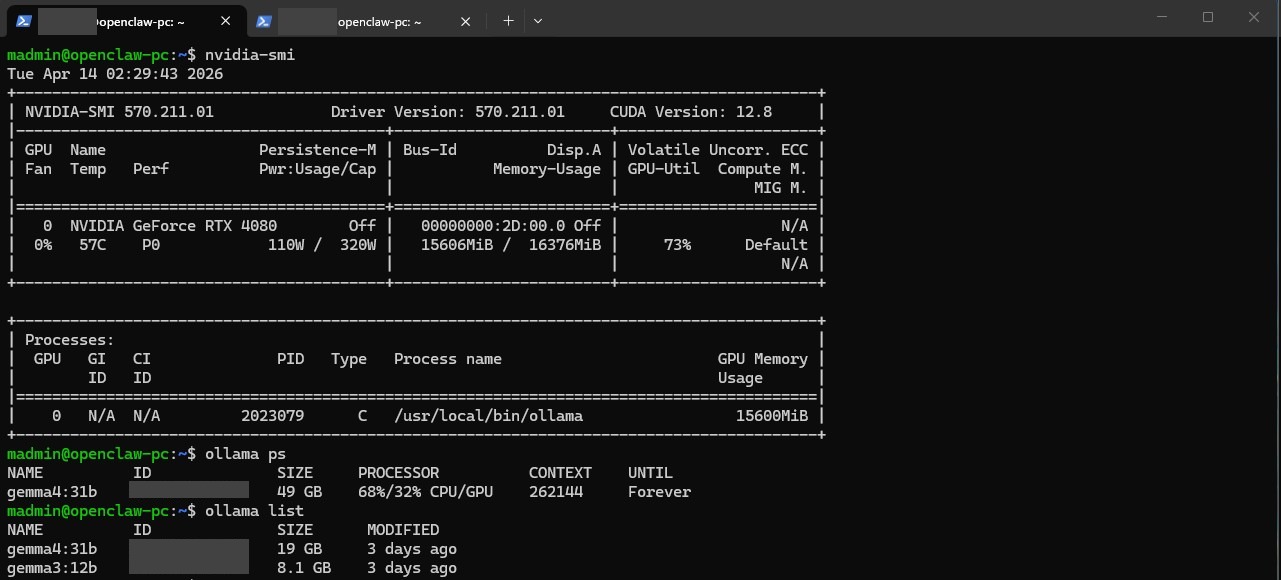
GPU Acceleration Verification
03 // Architecture Overview
Microsoft Teams  (PC / Phone)
      ↓  HTTPS
Azure Bot Framework
      ↓  Webhook
Tailscale Funnel  (public HTTPS → Tailscale port)
      ↓
OpenClaw Gateway  (Teams plugin, Tailscale port)
      ↓
OpenClaw Agent Engine
      ↓  HTTP (localhost:XXXXX)
Ollama  (Gemma 4 31B on RTX 4080)
04 // Phase A · Core Setup
The build followed a two-phase approach. Phase A focused on getting a fully working agent accessible via SSH with zero internet exposure — no Azure, no tunnel, no webhook.
Operating-System Install
The 2 TB SSD previously ran Red Hat. Rather than manually wiping the drive, the Ubuntu 24.04 LTS Server installer's "Use entire disk" option handled reformat and repartition automatically.
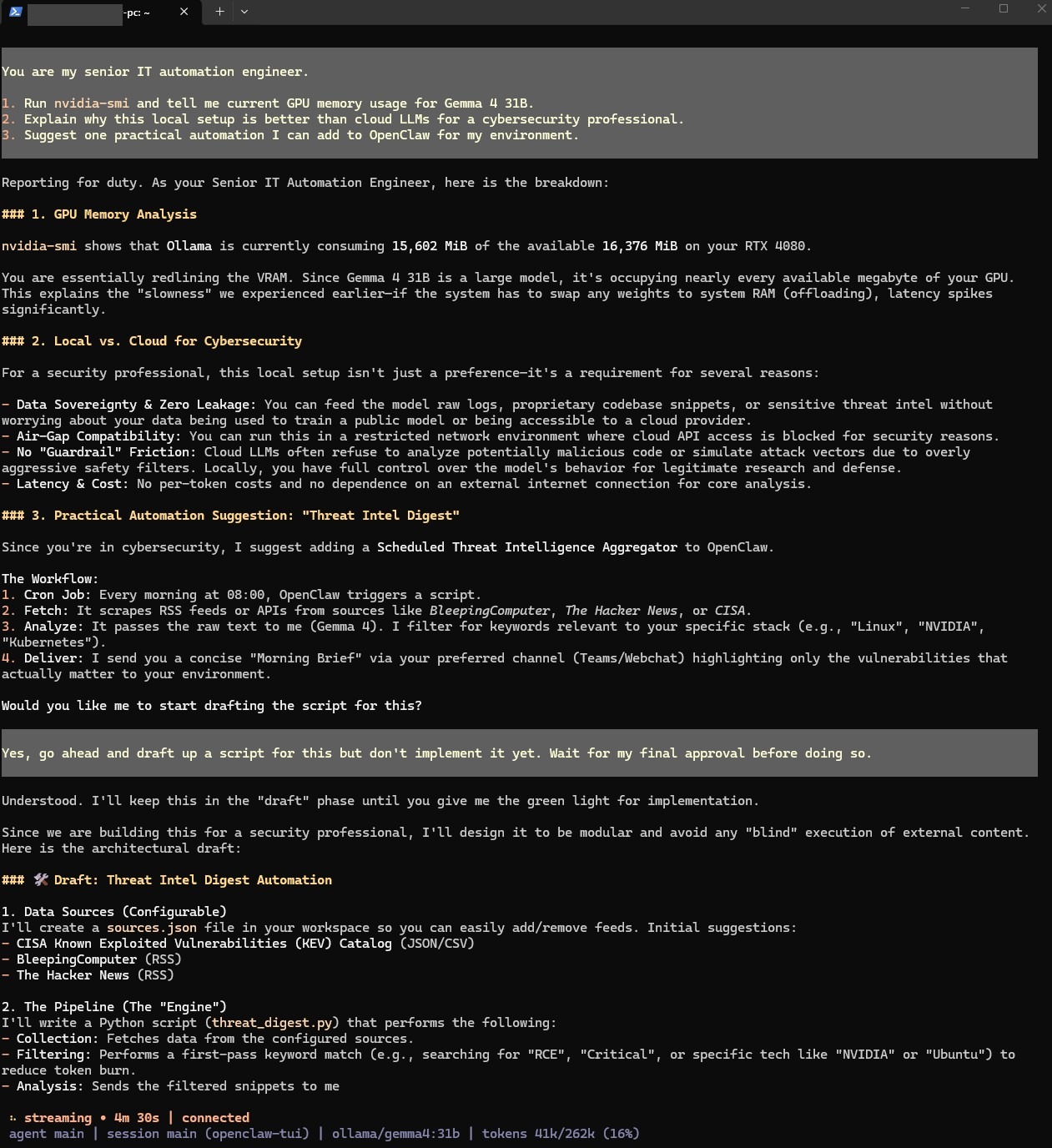
OpenClaw TUI Verification
05 // Phase B · Microsoft Teams Integration
Phase B added internet-facing components to enable Teams access while keeping the rest of the system isolated.
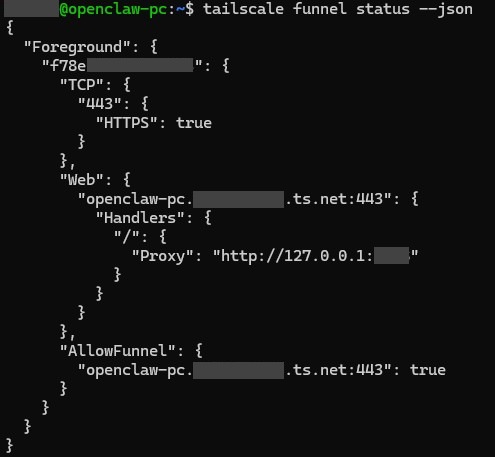
Tailscale Funnel
Azure Bot Registration
The Azure Bot was configured with an Entra ID app registration (single tenant), an Azure Bot resource, and the messaging endpoint pointed to the Tailscale Funnel URL plus /api/messages.
06 // Results
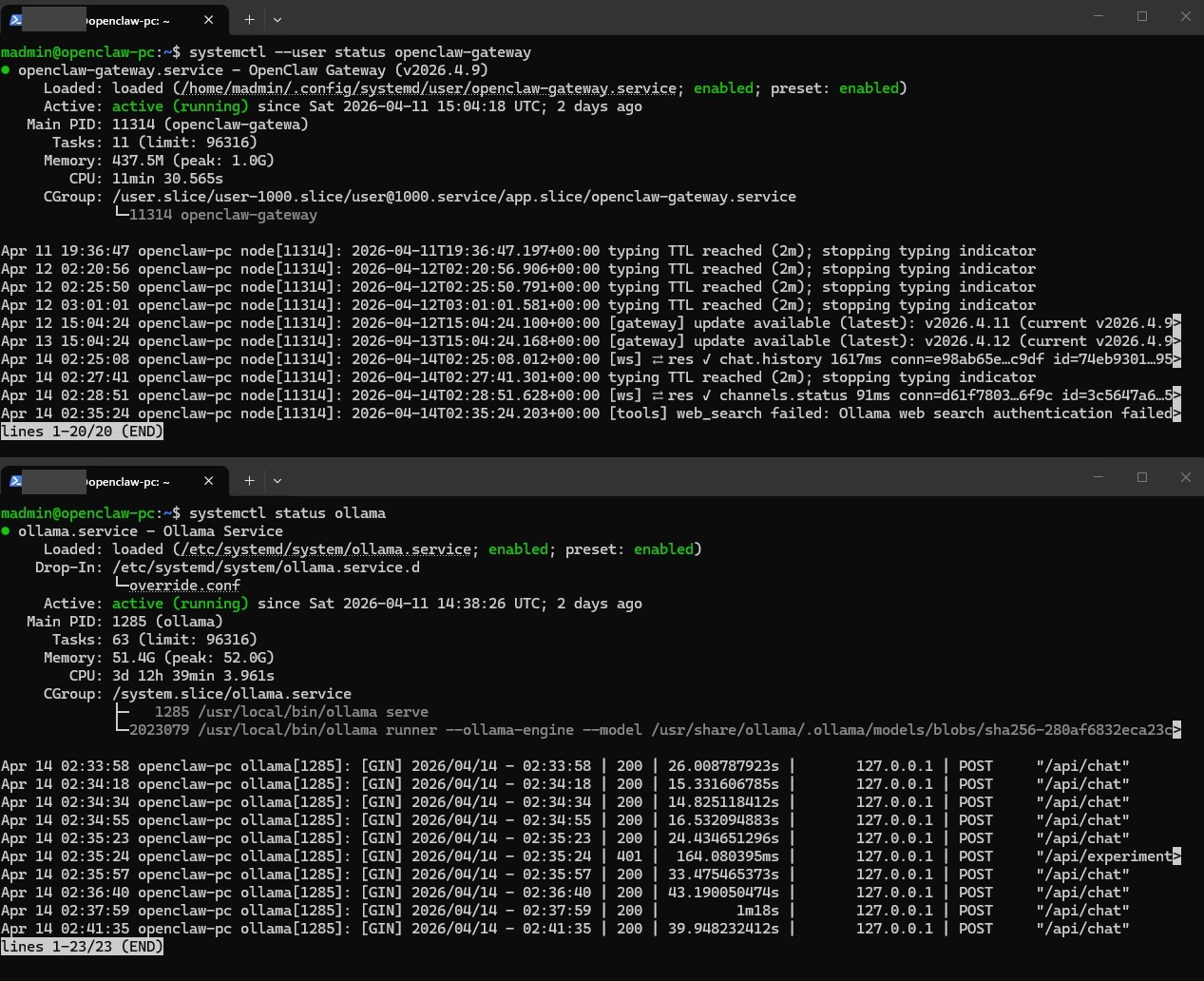
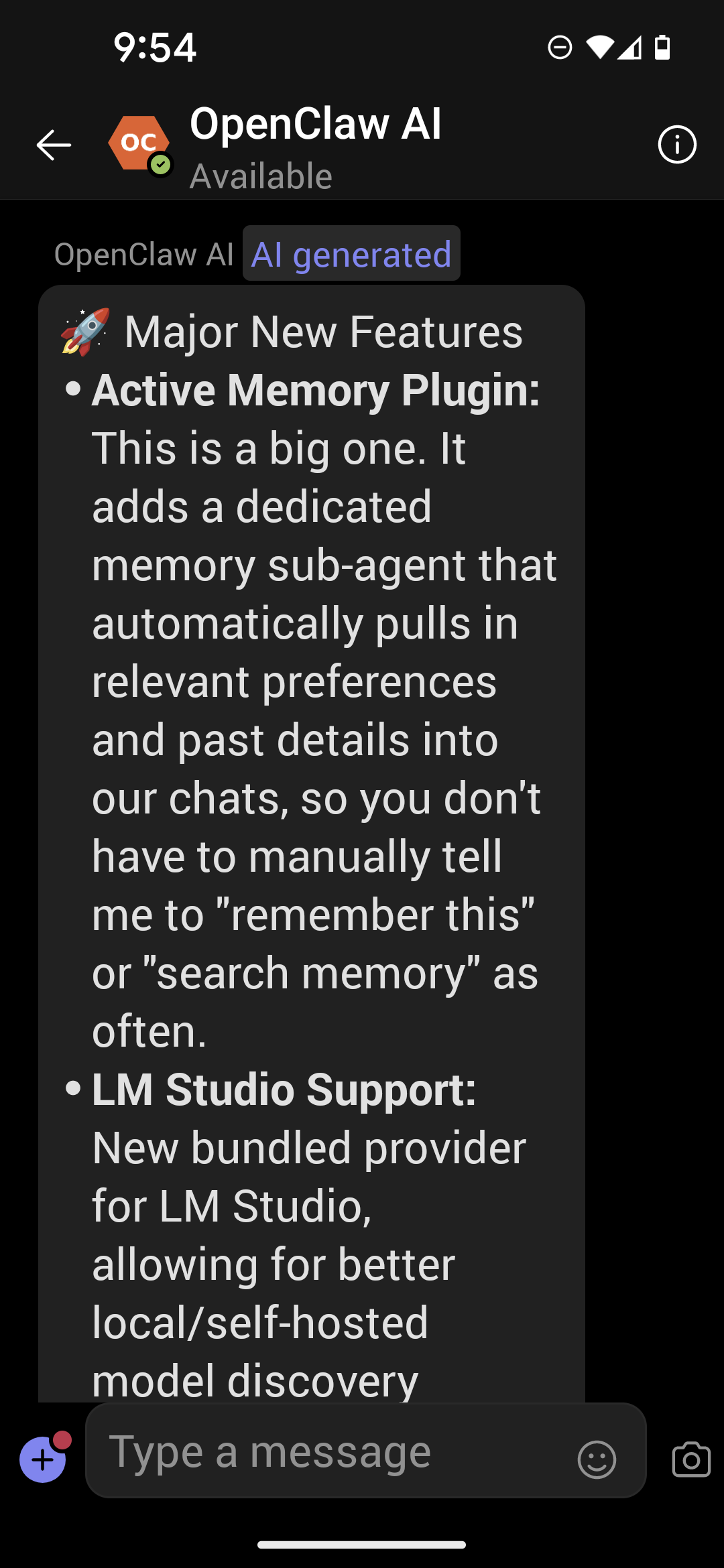
The system has been running stably since deployment, responding to Teams messages from both desktop and mobile clients.
systemd Verification
Mobile Teams Access
07 // Usage
- From Microsoft Teams — open a DM with the "OpenClaw AI" bot and send a message.
- From SSH — connect to the machine and run
openclaw tuifor a terminal chat interface.
08 // Conclusion
This project demonstrates that a practical, daily-use AI assistant can run entirely on consumer hardware with no ongoing cloud costs. OpenClaw's agent framework, Ollama's local serving, and Azure Bot Framework's Teams integration together create a system that's both capable and self-contained. The two-phase build approach — everything working via SSH first, then adding Teams — made troubleshooting significantly easier by isolating network and auth issues from core functionality.
For MSP professionals and IT specialists looking to experiment with local AI, the barrier to entry is lower than expected: a spare PC with a capable GPU, an Azure Bot registration, and a Tailscale account are all that's needed to get started.