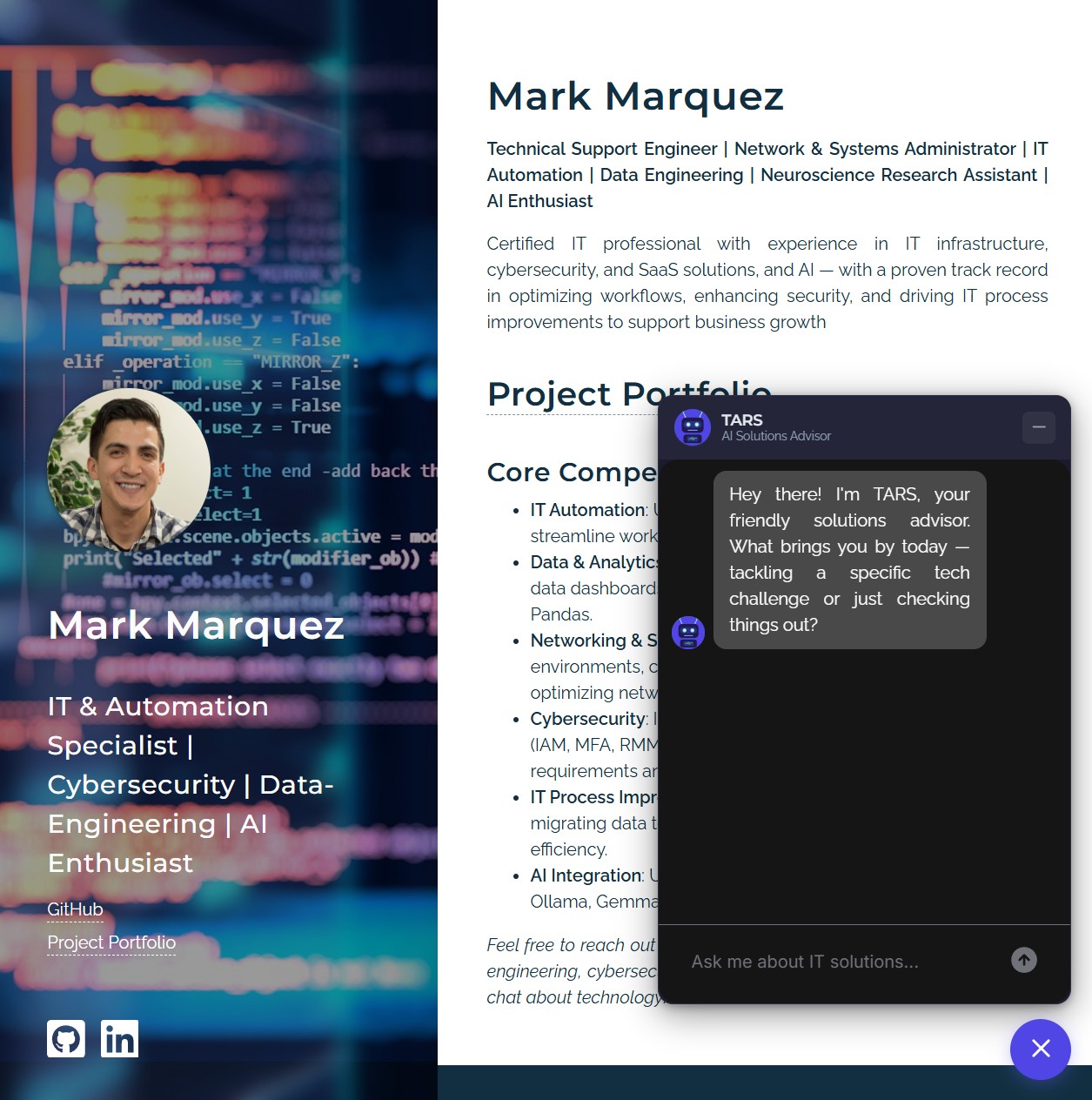
Sales teams spend an enormous amount of time doing the same five things on every inbound lead: asking about pain points, qualifying budget and timeline, capturing contact info, logging the conversation, and scheduling follow-up. It's repetitive, it doesn't scale, and it's the sort of work an LLM was arguably built for — except most "AI chatbots" still feel like branching decision trees with a language model bolted on top.
I wanted to build something different: a chatbot that actually feels like a conversation, that can hold state across turns, that plugs into a real CRM, and that hands finished leads to an AI agent for follow-up rather than dumping them in a queue. The result is TARS — live right now in the chat bubble at the bottom-right of this page.
01 // The Challenge
Two problems were really one problem. First: manual lead qualification doesn't scale. A small consulting practice can't have a human answering every "hey, do you do X?" message at 11pm on a Tuesday, and most of those conversations end up being unqualified anyway. Second: the chatbots that try to solve this feel robotic. They ask questions in a rigid order, can't handle objections, repeat themselves, and forget context the moment the visitor says something unexpected.
The brief I set for myself: build a sales bot that holds a natural, multi-turn conversation, qualifies the lead against real criteria (budget, timeline, company size, decision-maker status, pain points), captures contact info without feeling pushy, and hands off to Salesforce the moment it's done — with an AI follow-up agent taking over from there. No humans in the loop from first hello to follow-up email draft.
02 // The Stack
Every piece of this stack was picked to solve a specific problem, not because it was trendy.
- LangGraph — stateful agent framework built on LangChain. Conversations are a graph of nodes (greeting, discovery, qualification, objection handling, lead capture, confirmation, scoring, Salesforce write) wired together by conditional edges. Critically, LangGraph supports checkpointing, so state survives backend restarts and cold starts.
- FastAPI + Server-Sent Events — async Python backend exposing streaming endpoints. SSE gives token-by-token response delivery, so the chat bubble shows the AI "typing" in real time instead of freezing for five seconds and then dumping a paragraph.
- LangChain LLM abstraction — swappable providers behind one interface. Anthropic Claude, OpenAI GPT-4o, Llama (via Groq) or xAI Grok — switch between them with a single environment variable plus that provider's API key, then redeploy.
- Salesforce + Agentforce — enterprise-grade CRM with an actual AI agent platform attached. Leads, Tasks, Flows, an Apex class, and Agentforce actions all compose into the follow-up automation.
- Azure Container Apps — serverless container hosting with scale-to-zero. Costs nothing when idle, spins up on demand. Matches the traffic pattern of a portfolio site perfectly.
- Neon Postgres — serverless Postgres holding the LangGraph checkpoints via
langgraph-checkpoint-postgres, over a small connection pool that reconnects after Neon's idle auto-suspend. Conversation state survives container restarts and scale-to-zero. - Azure Static Web Apps — CDN-hosted widget. The chat bubble's JS and CSS live on a separate origin so the public portfolio repo — a static site on S3 behind CloudFront — never sees the bot code.
- nlux — embeddable chat UI with streaming support. Handles the bubble, message thread, typing indicators, and markdown rendering; I wrote a custom SSE adapter to wire it to the FastAPI stream.
03 // Architecture Overview
Visitor's Browser  (S3 + CloudFront · markandrewmarquez.com)
      ↓  2-line embed snippet
Azure Static Web Apps  (widget.js + chat-widget.css + tars-avatar.svg)
      ↓  POST /chat/stream  (SSE)
Azure Container Apps  (FastAPI + LangGraph · checkpoints in Neon Postgres)
      ↓  ainvoke()
LLM Provider  (xAI Grok in prod · Claude / GPT-4o / Llama swappable)
      ↓  simple_salesforce
Salesforce  (Lead + Task records, custom qualification fields)
      ↓  Record-Triggered Flow (After Insert)
Agentforce Agent  (Lead Qualification Follow-Up)
      ↓
Follow-up Tasks · Email Draft · Opportunity (if score ≥ 80)
The widget code is served from a completely different origin than the website that embeds it — the public portfolio repo, served as a static site from S3 behind CloudFront, carries nothing but a 2-line <script> snippet. Widget code, chat UI, and avatar all live on Azure Static Web Apps, and the backend runs as a Docker container on Azure Container Apps. All three layers can be redeployed independently.
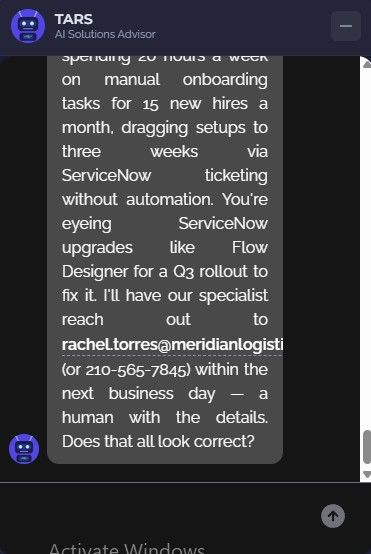
04 // The 7-Stage Conversation Graph
The thing that makes this feel like a conversation instead of a form is the graph structure. Each turn the visitor takes, the state flows through an extraction node (pulls any new contact / qualification data out of the message), then a router node (decides what to do next), then lands at the node that fits the current stage.
The seventh stage — Complete — is where things stop being conversational. Once the visitor confirms, the graph fires the scoring node (0–100 score with a breakdown), then the Salesforce node (Lead + Task creation), and the conversation is done.
What stops it feeling scripted is the router. Instead of a hardcoded stage order, the router is itself an LLM call that looks at the current state, the latest message, and what's already known, and decides where to go next. If a visitor volunteers their budget during discovery, the extraction node captures it and qualification only asks about what's still missing. The router is told to get budget and decision-maker status before it asks for contact details — pain points and company size, which visitors tend to offer during discovery, don't count. If the visitor dodges those questions or tries to leave, it moves on with what it has rather than looping. If they suddenly raise an objection mid-qualification, the router pivots to objection handling and then comes back. The flow adapts to the human, not the other way around.
05 // What Makes It Different
A basic chatbot wraps a system prompt around an LLM and calls it a day. A few features separate this from that:
- Durable conversation state — every conversation has a
thread_idthat maps to a LangGraph checkpoint, stored in Neon Postgres throughlanggraph-checkpoint-postgres. While the page stays open, the conversation survives backend restarts, scale-to-zero, and redeploys; a page reload starts a new thread. (An in-memoryMemorySaverstands in only for local dev and the test suite.) - Graceful degradation — if someone quits mid-conversation, the system still does what it can with whatever data was captured. Even a partial record beats a dropped lead.
- Objection handling as a first-class stage — "we don't have budget right now", "this isn't the right time", "I'm just exploring" all route to a dedicated node whose prompt is tuned for empathy and value reinforcement. The bot doesn't argue — it acknowledges, reframes when appropriate, and respects a real "no".
- Swappable LLM providers — one
LLM_PROVIDERenvironment variable, plus that provider's API key, picks between Claude, GPT-4o, Llama (via Groq), or Grok; a redeploy picks up the change. Every LLM call goes through a single_invoke_llmhelper so the rest of the graph is provider-agnostic. Production runs xAI Grok (grok-4.3), picked after a model A/B. - Deterministic lead scoring — the 0–100 score isn't an LLM guess. It's computed from explicit rules over the qualification data (budget weight, timeline weight, decision-maker status, pain points count, company size) so scoring is reproducible and auditable.
- 150+ test functions — node-level unit tests, tool and scoring tests, server and tracing tests, end-to-end conversation tests, and an eval suite: 154 test functions in the repo, counted from the code rather than a pass count. GitHub Actions runs the unit suite on every pull request and push to main, alongside ruff, mypy, a widget type-check, a gitleaks secret scan, and a recorded eval gate. Deploys themselves are manual.
06 // Hardening & Evals
A bot on a public page gets poked at. Since the first version shipped, most of the work has gone into making TARS hard to abuse, easy to observe, and measurable rather than judged by feel.
- Abuse limits — per-IP rate limiting on the chat endpoints, a per-thread message cap that politely closes a runaway conversation without further LLM calls, and lead de-duplication by email before anything is created in Salesforce.
- LLM and I/O resilience — a timeout and bounded retries on every LLM call, a timeout on the Salesforce OAuth token calls, and optional native structured output for extraction and routing that falls back to JSON parsing on any error.
- Observability — request-ID and thread-ID logging context with opt-in JSON logs, a liveness
/healthsplit from a readiness/health/readyprobe, and LangSmith tracing with per-call token, cost, and latency telemetry. Emails and common phone-number formats are masked in run inputs and outputs before traces leave the process. - Evals as a CI gate — extraction and routing evals replay VCR-recorded model calls on every pull request, with no API key and no network, so a reworded prompt misses its recording and fails closed. On demand, a simulated-user scorecard runs persona-driven conversations against the live model, and LLM judges grade them — but a judge only counts once its agreement with human labels clears a Cohen's kappa bar of 0.6.
- Dependency hygiene — the LangChain / LangGraph family moved to 1.x as one coordinated set, with strict msgpack deserialization of checkpoints enabled in the container image, and the widget's JavaScript is type-checked by TypeScript in CI.
07 // Closing the Loop with Agentforce
This is the part most chatbot projects skip: what happens after the lead is created. A record in Salesforce that no one actions is just data entry. TARS hands off to an Agentforce agent that does the actual follow-up work.
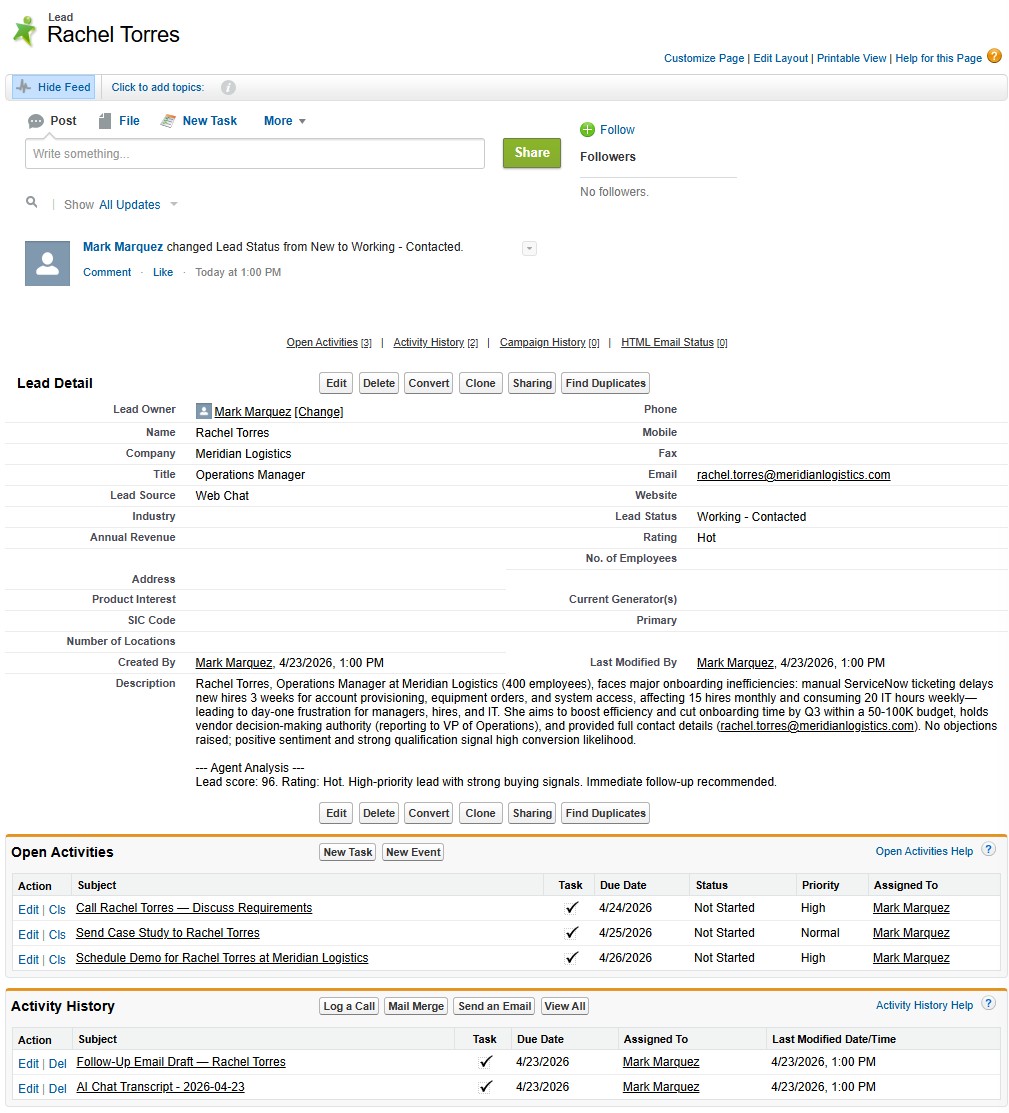
The flow is simple and all-automated. When TARS creates a Lead, six custom fields get populated: Lead Score, Budget Range, Timeline, Company Size, Pain Points, and Lead Source. The full chat transcript is attached as a linked Task record so the sales team has complete context without reading a JSON blob. A Record-Triggered Flow fires on insert, invokes the Agentforce agent, and the agent takes over.
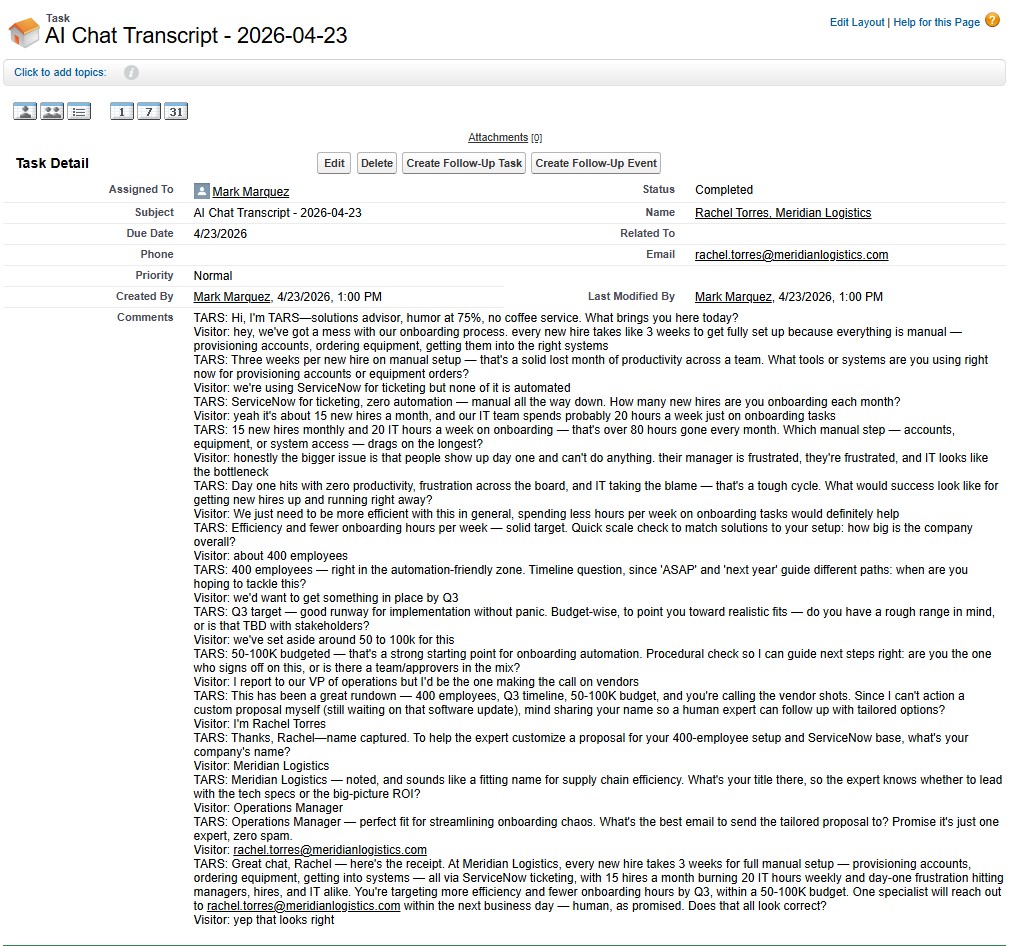
The Agentforce agent reads the Lead + transcript and executes four actions in a single turn, all wired to a consolidated Apex class: updates the Lead rating, creates prioritised follow-up Tasks with due dates, drafts a personalised follow-up email that references specific pain points from the conversation, and conditionally creates an Opportunity for high-value leads (score ≥ 80 and budget ≥ $50K). Zero human intervention between the visitor saying "yes, that looks correct" and a ready-to-send email draft landing in the sales team's queue.
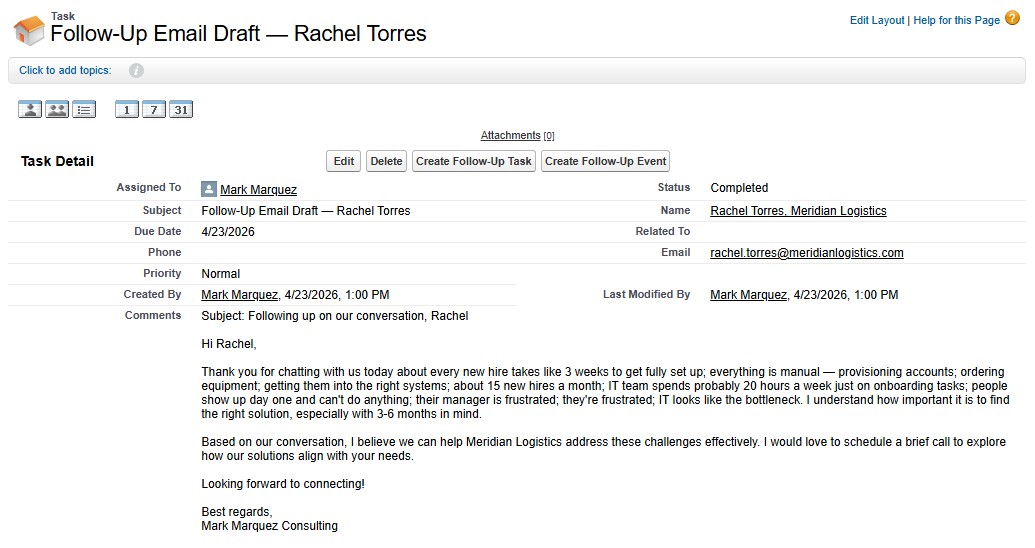
Agent Script CLI Workflow
The Agentforce agent itself is authored as a .agent script file in version control, not assembled click-by-click in the Salesforce UI. The Salesforce CLI's Agent Script plugin (sf agent validate, sf agent publish, sf agent preview, sf agent activate) replaces the click-heavy Setup workflow with real code — the agent's topics, instructions, and action wiring all live in version control next to the Apex class, as standard SFDX metadata. That means the agent is diffable, reviewable, and deployable in the same way as any other metadata. It also means I could preview agent behaviour from the terminal before activating, catching broken action wiring before anything touched production.
08 // Results
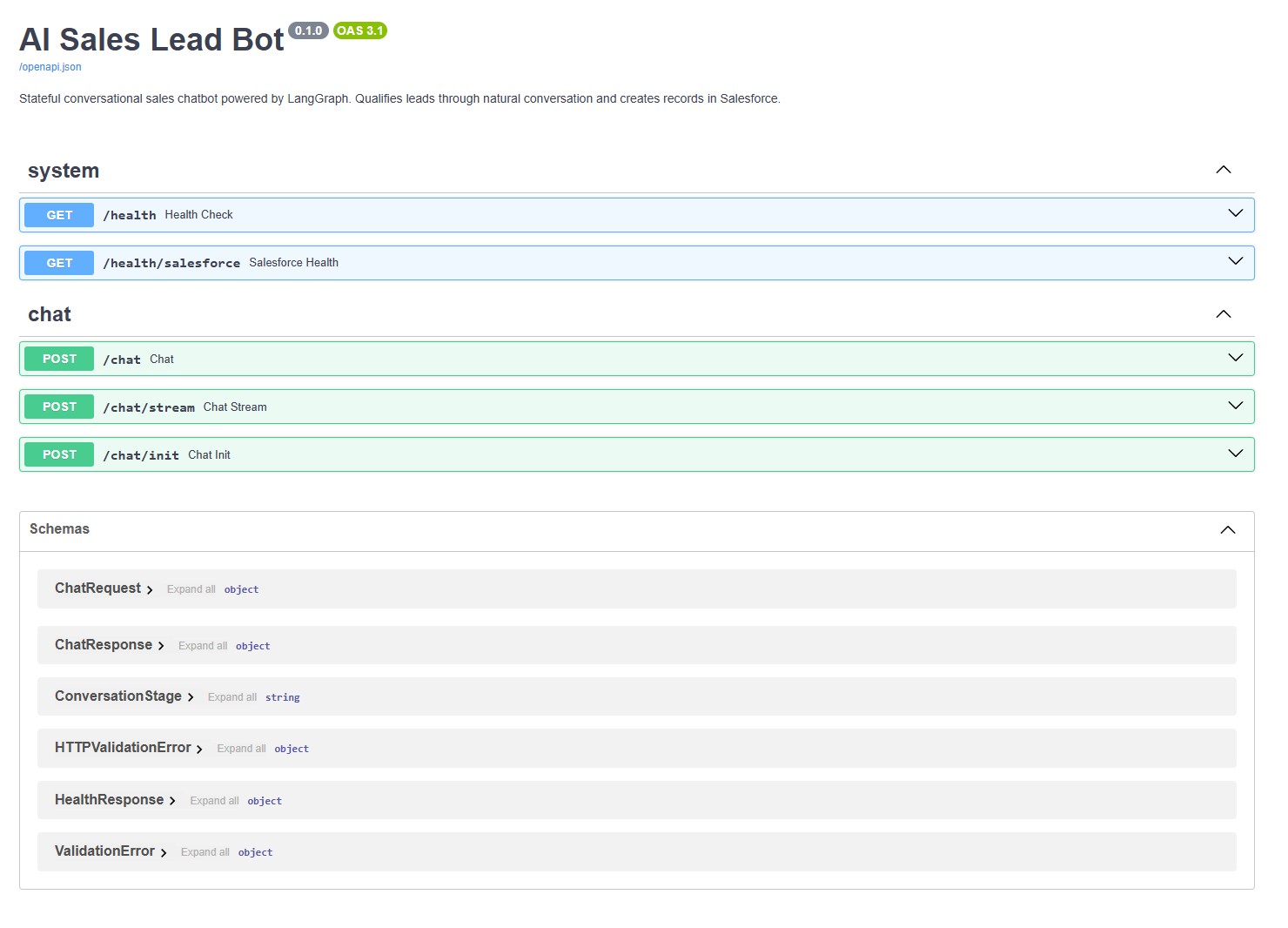
The backend API is publicly documented via Swagger UI — anyone can inspect the endpoints, try a /chat call directly, or wire the same backend into their own frontend. The chat widget on this site is just one consumer.
09 // What I Took From It
- Graphs beat decision trees for conversation. LangGraph's state-machine model — nodes + conditional edges + persistent state — captures how real conversations actually branch. Hardcoded flow diagrams can't keep up with a visitor who volunteers information out of order.
- Streaming is a UX feature, not a nice-to-have. SSE token-by-token delivery is the difference between "waiting on a server" and "someone is typing back to me". Cheap to implement, enormous perceived-quality difference.
- Swappable LLMs pay for themselves immediately. Different providers have different personalities, different cost profiles, and different failure modes. Being able to swap providers with one env var and that provider's API key means you're never locked into a single vendor's pricing or style.
- The handoff matters more than the chatbot. Any LLM can hold a conversation. The hard part is turning that conversation into a CRM record, a scored lead, a scheduled follow-up, and a drafted email. That plumbing — Apex, Flows, Agentforce actions, custom fields — is where the actual value lives.
- Code-first beats click-first for automation. Agent Script CLI made the Agentforce agent diffable, reviewable, and deployable the same way Apex is. If automation can't be version-controlled, it can't be maintained.
10 // Try It
This is a live demo — interactions create a real lead in Salesforce.
Click the chat bubble in the bottom-right of this page to talk to TARS. The source is public to read at github.com/marky224/salesforce-langgraph-ai-lead-bot under a proprietary, all-rights-reserved license — backend, eval suite, frontend widget, Salesforce metadata (the custom Lead fields), the Apex class, the Agent Script bundle, and the CI workflows. Backend runs on Azure Container Apps with scale-to-zero, so the first message may take 10–15 seconds to warm up. After that it's instant.