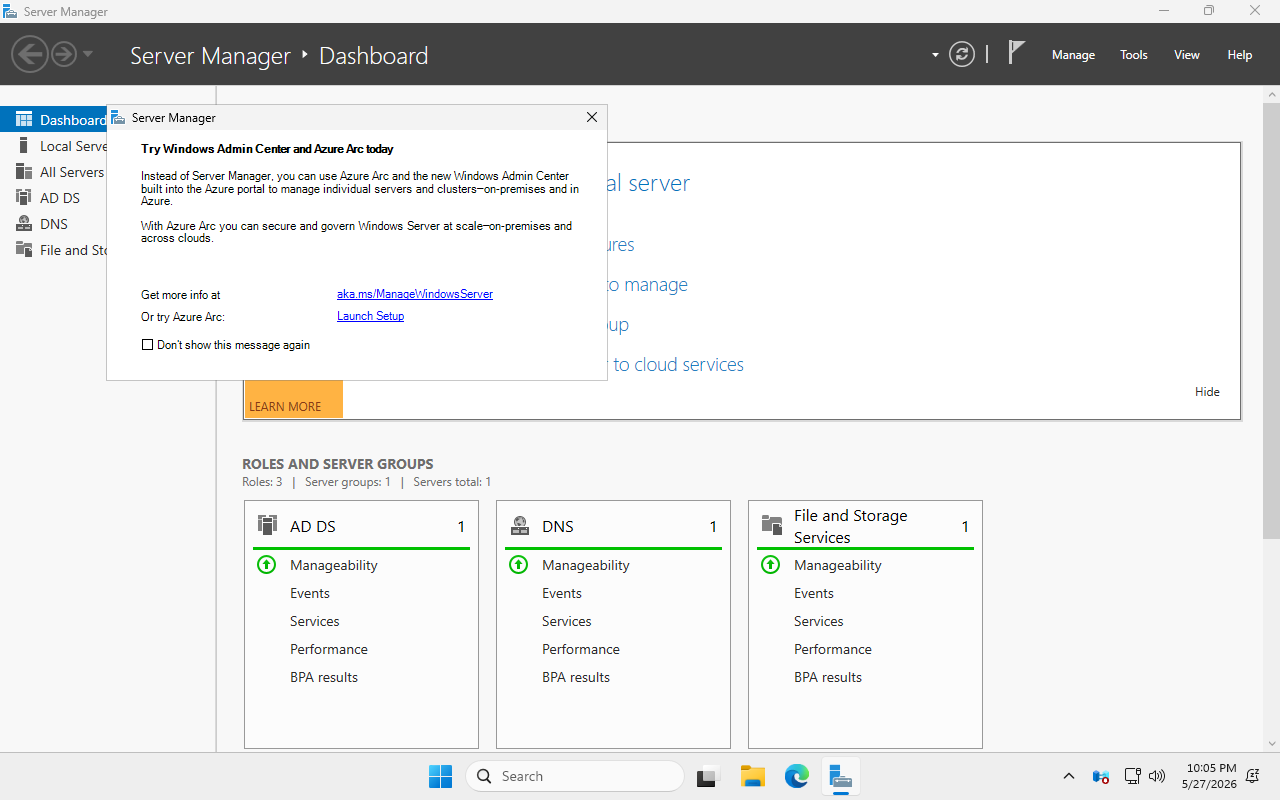
Most people stand up a Windows network by clicking through setup wizards for the better part of a day — install the server, promote it, configure DNS, set up address handouts, join the PCs, then do the second location all over again. This project does all of it from code. You point it at blank installer files and walk away; about an hour later there's a complete two-site corporate network — two domain controllers, DNS, DHCP, a certificate authority, and Windows and Linux workstations, all joined to the same domain and talking to each other over a simulated long-distance link. Then, to prove it's real, it deliberately takes a whole site offline and shows the network keeps running.
Built to production-grade standards — every machine is described in Ansible, every step re-runs safely, nothing is configured by hand, and the finished environment checks itself at the end. This page is the plain-English tour; the code and the deep technical detail live on GitHub.
01 // The Challenge
Active Directory is the backbone of most company networks. It's what decides who can log in, what they're allowed to touch, and which security rules apply to every machine. Setting one up well — let alone two locations that back each other up — is slow, manual, and easy to get subtly wrong in ways you won't notice until something breaks.
And there's a part almost everyone skips: actually proving it survives a failure. A domain controller you've never tested failing over is a domain controller you're hoping will fail over. So the goal here was twofold: build a realistic, multi-site Active Directory environment entirely from code — and then actually rehearse the disaster, on purpose, before a real one ever happens.
02 // From a Script to a Self-Building Data Center
An earlier lab project of mine automated a single domain controller with five PowerShell scripts, turning the Server Manager checklist into a scripted run. (That write-up is here: Automating AD Domain Controller Provisioning for MSPs.) It solved one machine, on a server that already existed.
This is the next order of magnitude. Not one server configured by a script, but an entire data center built from nothing: two sites, two domain controllers, multiple operating systems, the network router between them, and the disaster-recovery story — all described as code and assembled from bare install media. The jump is from "automate a task on a box" to "automate the box, the network, and the recovery plan too."
03 // How It Works
The whole thing runs as virtual machines on a single physical host. Here's the shape of what gets built:
   corp.markandrewmarquez.com   ·   one forest, one domain, built from code

   HQ SITE — 10.10.0.0/24
     ADDC01   · Windows Server 2025 · all 5 FSMO roles + Global Catalog
              · DNS · DHCP · AD Certificate Services · WSUS · NTP · GPO
     CLIENT01 · Windows 11 Enterprise        (domain-joined, autoenrolled)
     CLIENT02 · Windows 11 Enterprise        (domain-joined, autoenrolled)
     UBUNTU01 · Ubuntu 24.04                 (domain-joined via realmd/sssd)
        │
        │   VyOS router  ·  ~40 ms simulated wide-area link
        │   AD replication every 15 min · cross-site DNS · DHCP failover routes
        ▼
   BRANCH SITE — 10.20.0.0/24
     ADDC02   · Windows Server 2025 · replica DC + Global Catalog
              · self-first DNS · standby DHCP failover
              · clients fail over here automatically when HQ goes dark

   ───────────────────────────────────────────────────────────────────────
   Every box starts as blank install media. Ansible (23 roles) provisions the
   whole topology on KVM/libvirt — UEFI Secure Boot + TPM 2.0 — and verifies
   it end to end.  Full two-site build: 60–75 minutes from bare media.
The moving parts, in plain terms:
- KVM / libvirt — free, built-in Linux virtualization. It runs many "computers" inside one machine, and here each one boots with the same security hardware a real modern PC has (UEFI Secure Boot and a TPM 2.0 chip), so the lab behaves like the real world rather than a toy.
- Ansible — the automation engine that does the building. The work is split into 23 small roles, each owning exactly one job: create a VM, promote a domain controller, configure DHCP, stand up the certificate authority, wire the router, join a Linux box, and so on.
- Windows Server 2025 for the two domain controllers — and they're fully patched before they're even installed, because the updates are baked into the install media. Windows 11 and Ubuntu 24.04 stand in as the staff workstations.
- A VyOS router simulating a ~40-millisecond connection between the two sites — enough delay that HQ and the branch behave like they're in different cities, not the same rack.
- Two safety nets. The domain controllers continuously copy changes to each other, and the address-handout service (DHCP) runs in hot standby — so even if HQ disappears, branch clients keep getting addresses and can still find a working domain controller. (That last trick uses a small DHCP feature, "option 121," to quietly hand clients a backup route to the other site.)
Around that core sit the hardening and housekeeping a real domain needs: both Windows 11 workstations get a machine certificate from the CA automatically (autoenrollment), Group Policy applies Microsoft's Security Compliance Toolkit baseline, the built-in Administrator account (RID 500) stays enabled for forest recovery but is locked down, a wbadmin system-state backup captures the directory database, SYSVOL and the CA, and every push to the repo runs ansible-lint and a gitleaks secret scan in CI.
04 // The Build, in Pictures
It starts with nothing but an installer file. From there, no human touches the keyboard.
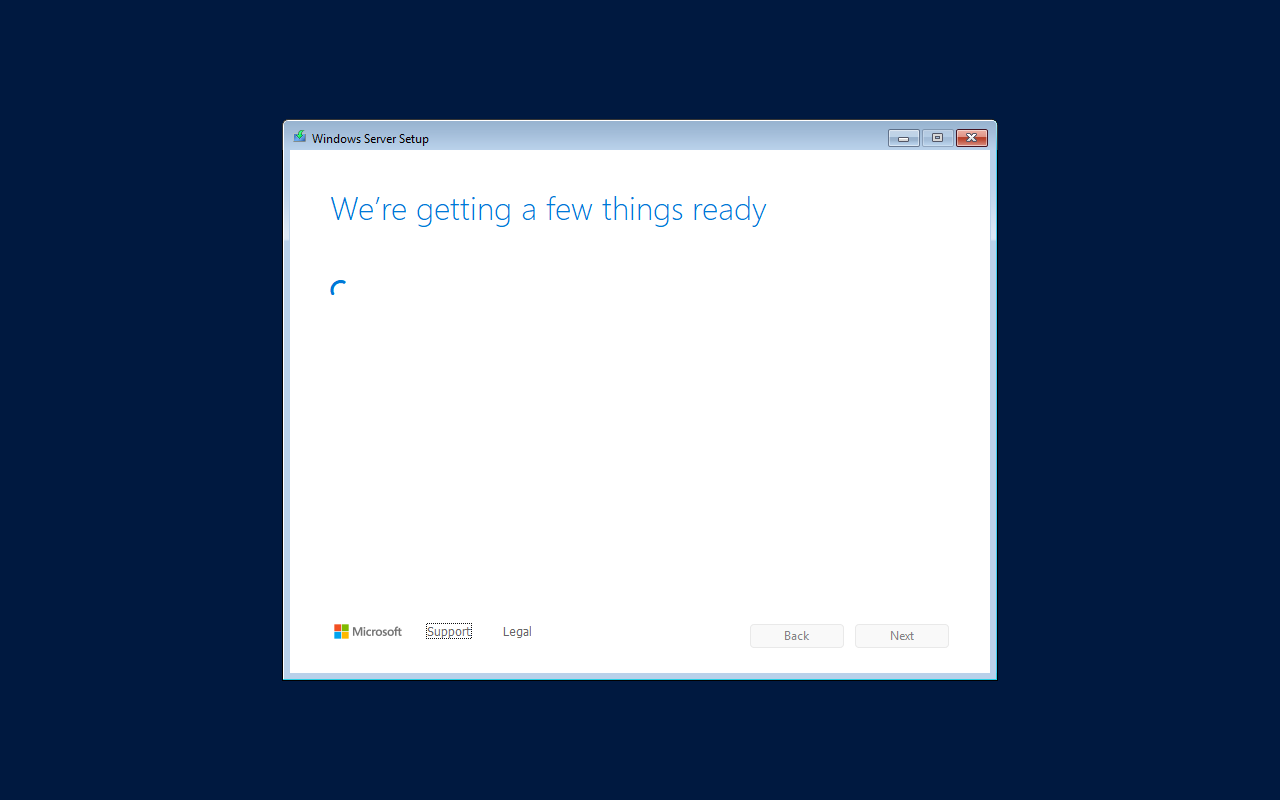
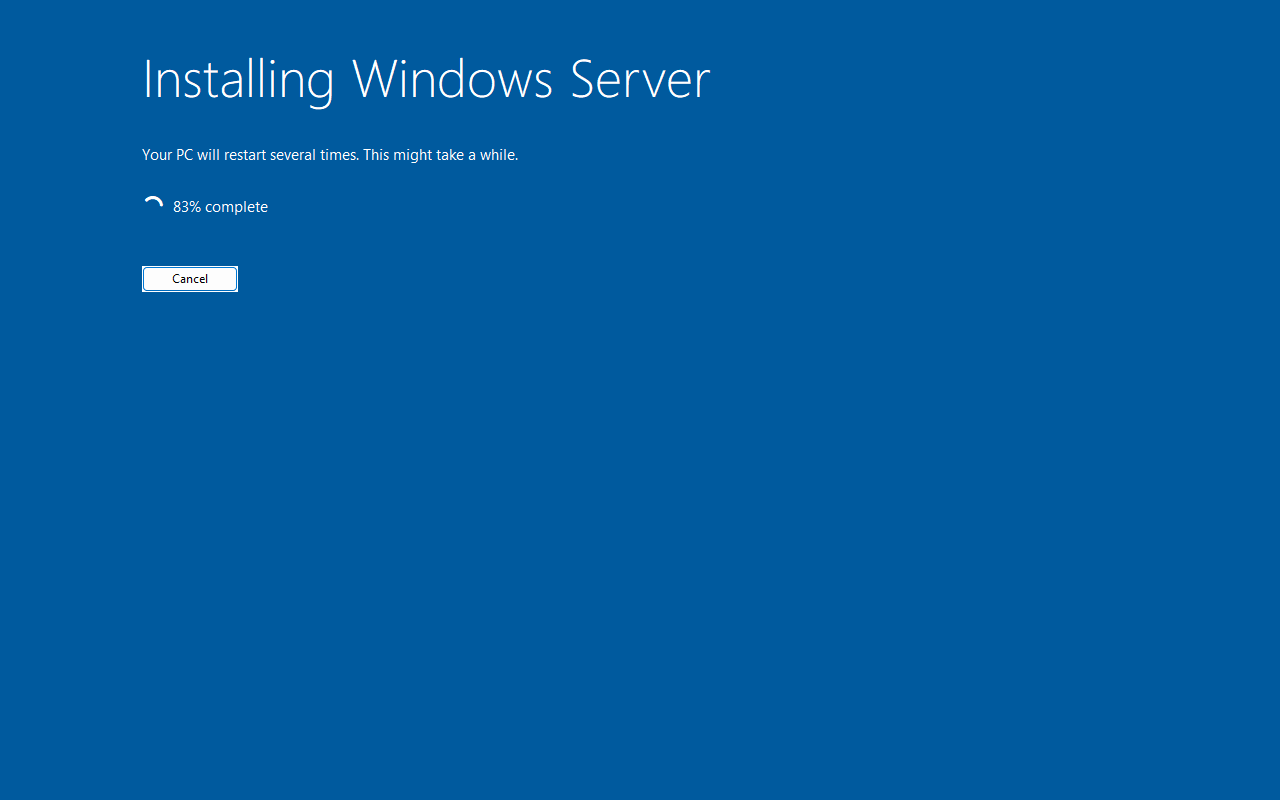
An Autounattend.xml answer file drives Windows setup start to finish (Linux uses the equivalent, cloud-init). The installer runs through unattended:
About twelve minutes after power-on, the machine is sitting at a working desktop with remote management (WinRM for Windows, SSH for Linux) already switched on — which is how Ansible takes over from here.

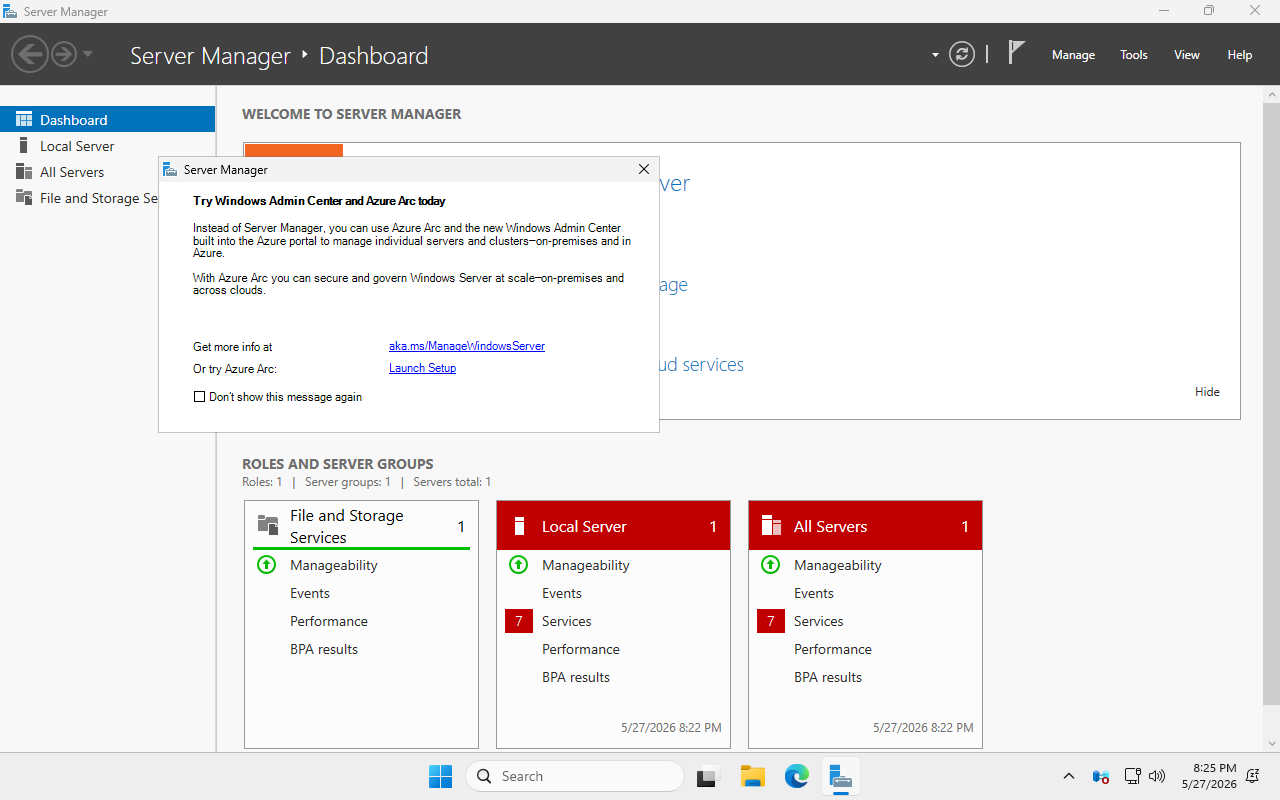
Before it's promoted to a domain controller, the server is already fully patched — the cumulative updates were slipstreamed straight into the install image, so it's current on its very first boot. At this point it's just a clean, up-to-date server with a single role.
Then Ansible promotes it into the first domain controller of a brand-new forest, turning on Active Directory and DNS in the process — that's the cover shot at the top of this page. With HQ's controller alive, the workstations join the domain. A Windows 11 machine joins the normal way:

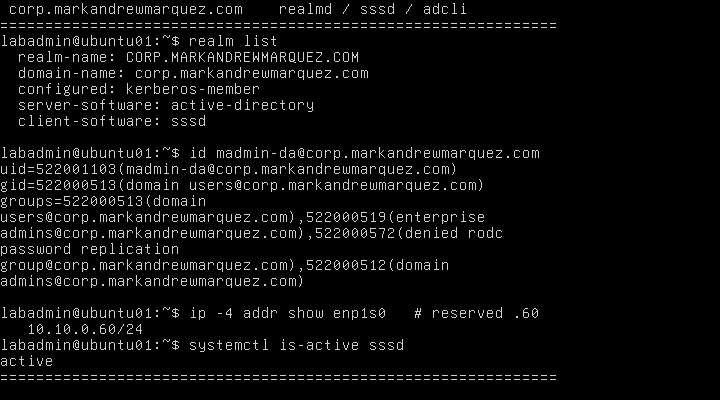
…and so does a Linux box. The Ubuntu server authenticates against Active Directory through realmd and sssd — same domain logins, same security groups, real Kerberos — exactly like the Windows machines. The terminal below is the proof: it's a recognized domain member, it can see an admin's AD group memberships, and it even picked up its reserved address from the same DHCP server:
05 // The Real Test: Disaster Recovery
Building it is only half the project. The other half is breaking it — on purpose, in a controlled way — to prove the redundancy isn't just on paper. There are two drills.
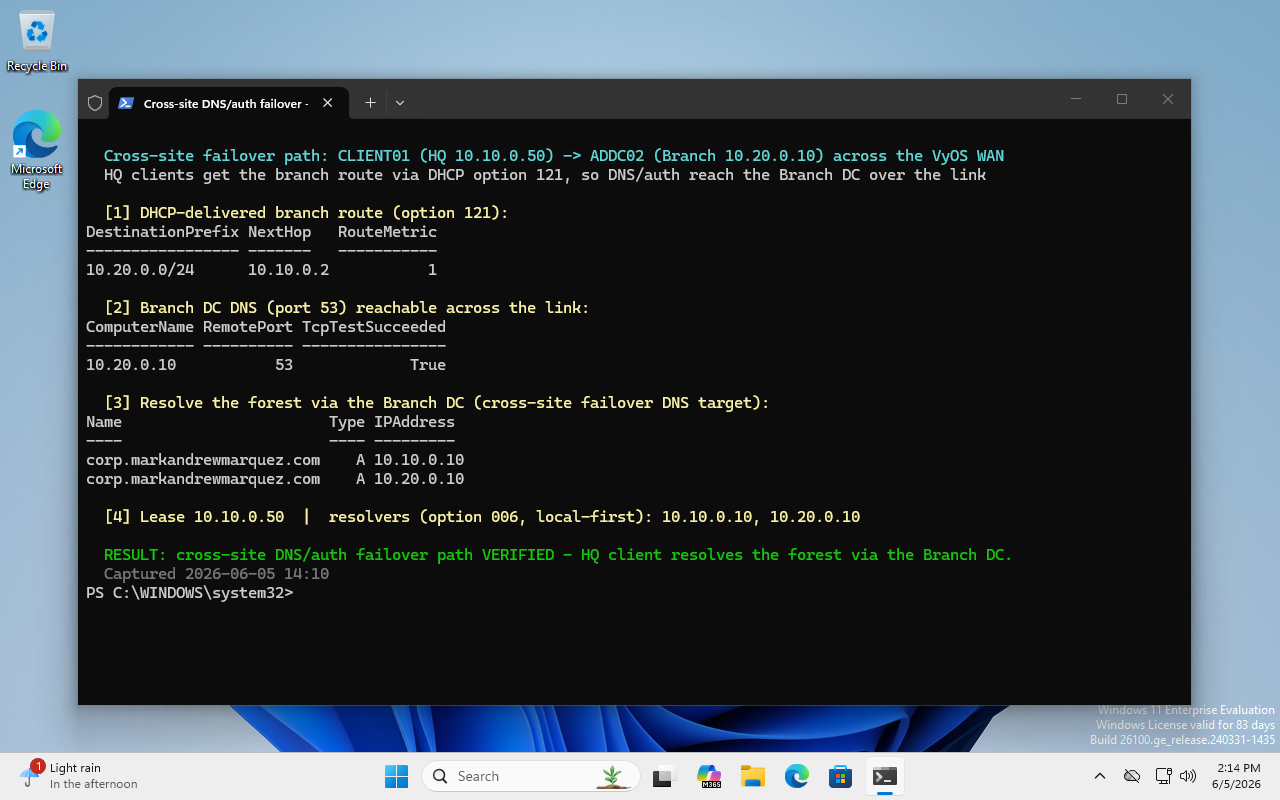
Drill one — the site goes dark. I gracefully power off the HQ domain controller, simulating an outage at the main office, and then check that the branch carries the load: logins still work, DNS still resolves, addresses still get handed out, and clients automatically find the branch domain controller across the wide-area link. The screenshot below is a client proving exactly that — it follows its DHCP-delivered backup route over the VyOS link and resolves the whole directory through the branch DC.
Drill two — HQ isn't coming back. This is the nastier scenario, and the one most teams have never practiced. I clone the branch domain controller into a sealed-off network and rehearse seizing all five FSMO roles — think of those as the domain's crown-jewel responsibilities that normally live on one controller. Doing it for the first time during a real outage is how mistakes happen; doing it here, in isolation, turns it into muscle memory. Because the rehearsal runs in a sandbox, it can never accidentally touch the live forest.
The point of both drills is simple: backups you've never restored aren't really backups, and failover you've never triggered is just a hope. Both are scripted and written down as a runbook, so the recovery steps are tested and repeatable rather than improvised.
06 // Results & What I Took From It
- If it isn't automated, it isn't finished. Clicking through a build once teaches you the steps but leaves nothing you can trust to repeat. Describing the whole environment as code is what makes it reproducible — and reviewable.
- Test the failure, not just the build. The happy-path build always looks fine. It was the disaster-recovery drills that surfaced the details that actually matter when a site goes down.
- Idempotent means fearless. Being able to re-run any step without fear of breaking what's already there completely changes how you work — interruptions, reboots, and retries stop being scary.
- Skills compound. The single-DC PowerShell project was the seed; this is what it grows into when you keep pulling the "automate the next layer" thread.
The full source — the Ansible roles and playbooks, the unattended-install assets, the router and DHCP configuration, the disaster-recovery runbook, and the architecture notes — is on GitHub at github.com/marky224/windows-ad-ansible-kvm. The repository is source-available for review: proprietary, all rights reserved, no reuse without prior written permission.